

Free Games That Play Well in a Phone Browser
In this guide
- Water Sort Puzzle - pour colors until every bottle matches
- Tiny Fishing - cast, steer, upgrade, repeat
- Bubble Shooter Pop - the classic, sized for a phone
- Apple Worm - a puzzle with a built-in joystick
- Screw Puzzle - two taps per move, one hand needed
- Basketball Fever - a one-touch flick
- Ball Drop - well-timed taps through 32 levels
- Mini Golf Saga - 3D mini golf with a stroke limit
- Off Road Overdrive - a racer with only two buttons
- Mahjong Earth - calm tile matching in portrait view
- Spades - a full card game against the computer
- Idle Farm - grow and harvest, then hire managers
- How to get the best experience on a phone
- Frequently asked questions
Playing in a phone browser has its own rules. You are probably holding the phone with one hand, you may have a minute or two rather than an hour, and a game that needs a keyboard is no use at all.
The twelve games below are all listed as playable on mobile. Most are laid out for portrait view, so you can hold your phone upright, and many need nothing more than a tap or a swipe. There is nothing to install. For background on how this works, see our explainer on HTML5 games.
Water Sort Puzzle - pour colors until every bottle matches
You touch a bottle to pour its water into another, and the water can only go onto the same color if there is room. The game is laid out for portrait view, with a thousand levels and a restart button when you get stuck.
It is easy to play in short bursts, since a level can take only a few moments.
 Water Sort Puzzle The classic color sorting puzzle: one rule, a thousand levels, and no reason to hurry. Play Water Sort Puzzle
Tiny Fishing - cast, steer, upgrade, repeat
A spinner sets your casting distance, and you drag your finger to steer the hook through the fish. When the line reaches the surface, you are paid, and you spend the cash on upgrades and new hooks. You keep earning while you are away.
It is portrait-friendly and good for quick check-ins.
 Tiny Fishing Cast deep, steer the hook into as many fish as you can and spend the haul on better gear. Play Tiny Fishing
Bubble Shooter Pop - the classic, sized for a phone
You aim and fire bubbles at a wall of colored bubbles, and a group of three or more of the same color pops. It is laid out in portrait view and works equally well with a mouse.
It suits anyone who wants a familiar game with a one-sentence rule. Our bubble shooter tips help you plan ahead.
 Bubble Shooter Pop Classic bubble shooting: aim, fire and match three of a color to pop the group. Play Bubble Shooter Pop
Apple Worm - a puzzle with a built-in joystick
Bend a worm into the right shape to eat the apple, then escape through a black hole. On mobile the game provides a built-in joystick, so you do not need a keyboard.
It is a thinking game in portrait view, good for when you want to focus on one puzzle at a time.
 Apple Worm Bend a worm into impossible shapes, get the apple and escape through the black hole. Play Apple Worm
Screw Puzzle - two taps per move, one hand needed
Tap a screw, then tap an empty hole to move it, until every metal plate is released. It is a portrait game played with simple taps.
A good pick for commutes and waiting rooms, where you want a puzzle that only needs your thumb.
 Screw Puzzle Unscrew the bolts in the right order and let every metal plate drop free. Play Screw Puzzle
Basketball Fever - a one-touch flick
Flick the ball toward the hoop and try for a high score in an endless game that gets harder as you go. It is laid out for portrait screens and made for a phone, though a mouse works too.
It is the right choice when you want a quick round with no learning curve.
 Basketball Fever Flick the ball, watch it drop, do it again - a one-touch basketball game that keeps getting harder. Play Basketball Fever
Ball Drop - well-timed taps through 32 levels
A ball bounces its way downward, and your taps steer it past spikes to the end zone. There are 32 levels, and the game plays in portrait view.
Pick it if you like precise timing. Tap less than you think you need to, because over-correcting is the usual way to hit a spike.
 Ball Drop Guide a falling ball through 32 levels of spikes with nothing but well-timed taps. Play Ball Drop
Mini Golf Saga - 3D mini golf with a stroke limit
You play 3D mini golf on a beach, trying to use as few hits as possible, and each level limits how many you get. The game offers an optional rewarded video for extra chances, and it is laid out for portrait view.
It suits patient players who like to plan each shot. See more in the Sports category.
 Mini Golf Saga 3D mini golf by the beach, where every hole gives you only so many strokes to sink the ball. Play Mini Golf Saga
Off Road Overdrive - a racer with only two buttons
You drive a cartoon car with two buttons and try to keep it steady on the platform. Challenge mode covers snow, beach, field, desert and dark night terrains, and the game plays in portrait view.
It is a racing game that works well on a phone held upright.
 Off Road Overdrive Two buttons, five terrains and a cartoon car you have to keep steady. Play Off Road Overdrive
Mahjong Earth - calm tile matching in portrait view
Match pairs of free tiles to clear the board. There are more than 250 layouts, and Shuffle, Torch and Hint are there when you get stuck. You tap the two tiles to remove them.
It works well for a slow, quiet session. Our Cards category has more tile and card games.
 Mahjong Earth Calm mahjong solitaire with more than 250 layouts, a combo meter and an earthy soundtrack. Play Mahjong Earth
Spades - a full card game against the computer
You play with a computer-controlled partner against two computer opponents, with bidding, a tutorial and a portrait-view layout.
It is a longer sit-down than most games on this page, but it suits anyone who likes thinking about cards.
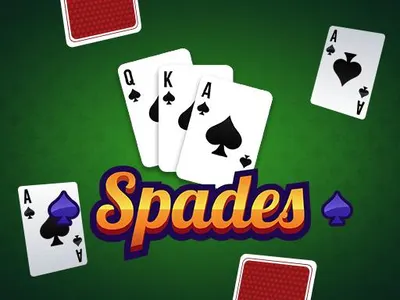 Spades The four-player trick-taking classic with a computer partner, bidding and blind nil. Play Spades
Idle Farm - grow and harvest, then hire managers
You click on fields to grow and harvest crops, spend money on upgrades and hire managers to run fields for you. It is listed as playable in both portrait and landscape.
A good one for short visits, since upgrades build on each other.
 Idle Farm Plant, harvest, upgrade and hire managers until a few fields have grown into a farming empire. Play Idle Farm
How to get the best experience on a phone
Match the game to the moment. For a minute or two, such as a queue or an elevator ride, choose something with instant rounds like Basketball Fever or Ball Drop. For a longer break on the sofa, Spades, Mahjong Earth or Water Sort Puzzle give you more to play through.
A few small habits make browser games smoother on a phone. Hold the phone in the orientation the game was designed for, which is usually portrait. Close other tabs and apps if a game feels slow. Keep your browser up to date. If a game gets stuck on its loading screen, close the tab completely and open it again.
For more options, browse the Casual category.
Frequently asked questions
Do I need an app to play these games on my phone?
No. They run in your browser, so you do not need to install an app. Open the game page, press play, and the game loads.
Which orientation should I hold my phone in?
Most games here are designed for portrait view, so hold the phone upright. Idle Farm works in both portrait and landscape. Each game page tells you what the game expects.
Why is a game slow on my phone?
Simple puzzle games are light, but larger games use more memory and graphics power. Closing other apps, updating the browser and trying a lighter game can all help.