What Are HTML5 Games? How Browser Games Work
In this guide
An HTML5 game is a game built with the same technology as a modern web page. It runs inside your browser, in a tab, the same way a video player or a map does. You open a page, press play and the game starts.
That is a big change from older browser games, which needed a separate plugin to be installed before they would run. This article explains what HTML5 games are, why you do not have to download anything, why they cost nothing, and what to know about saves, controls and performance.
What HTML5 actually means
HTML5 is the name for the set of features that modern browsers use to build pages. In games, it usually means the game is drawn on the page with JavaScript, using graphics features that are built into the browser, and that sound and input are handled by the browser too.
Because the browser already knows how to do all of this, the game does not need anything extra. There is no plugin and no separate program. If your browser can open the page, it can run the game.
Why you do not have to download or install anything
When you press play on a game page, your browser downloads the game's files, such as its images, sounds and code, and runs them right there. You are not installing software. You are loading a page.
This is why the first visit to a large game can take a little while. The first time you open a bigger 3D game, such as Real Cars Epic Stunts, the browser has more to fetch. Afterwards, most of those files are kept by the browser, so the next visit usually opens faster. If a game ever sticks on its loading screen, our guide to fixing a browser game that will not load walks through the usual causes.
 Real Cars Epic Stunts Throw tuned supercars off mega ramps against the clock - solo or with a friend on one keyboard. Play Real Cars Epic Stunts
One game, many devices
Since the game runs in the browser, it can run on any device with a modern browser: a laptop, a desktop, a tablet or a phone. Each game page tells you how it is meant to be played.
Some games are designed for a computer and a keyboard. Boxing Gang Stars, for example, is built around keyboard controls. Others are built for touch. Water Sort Puzzle and Tiny Fishing are laid out for portrait view, which suits a phone held upright. A few adapt to both, like Apple Worm, which uses the keyboard on a computer and a built-in joystick on mobile.
 Apple Worm Bend a worm into impossible shapes, get the apple and escape through the black hole. Play Apple Worm
Why browser games are free
Most free browser games are paid for by advertising. The people who make the game earn money when adverts are shown alongside it, so you can play without paying anything or creating an account.
That also explains a few things you may notice. Some games show an advert before they start. Others offer an optional rewarded video, such as Mini Golf Saga, which lets you watch a video for extra chances. And it is why ad blockers can sometimes interfere, because a game may wait for an advert to finish or fail before it begins.
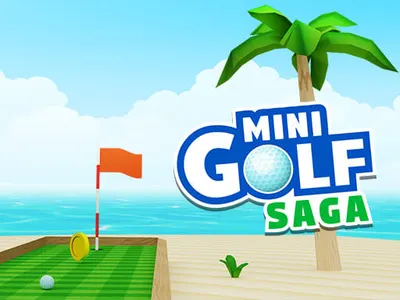 Mini Golf Saga 3D mini golf by the beach, where every hole gives you only so many strokes to sink the ball. Play Mini Golf Saga
Where your progress is saved
Because there is no installed program, progress is usually kept in your browser, on your own device. Many games store levels, upgrades and settings that way, and some use an account of their own.
The practical effect is that your progress is tied to the browser and device you played on. Switching to another browser or computer, using a private window, or clearing your site data can make saved progress disappear. If you care about a long-running game, such as an upgrade-based one like Idle Airport CEO, keep using the same browser and avoid clearing its data.
IviGames also keeps a list of the games you played recently on your own device, so you can find your way back to them on the Recently Played page.
 Idle Airport CEO Run an airport from the corner office: more passengers, faster planes and profits that pile up while you are away. Play Idle Airport CEO
How you control a browser game
HTML5 games can read your keyboard, your mouse and your touch screen. Which ones they use is up to the game, so check the controls on the game page.
Some are played with just a mouse or a finger, like Tiny Fishing, where you click and drag to slide the hook. Others use a few keys: Snow Rider 3D needs only jump, steer left and steer right. Many also work on phones through on-screen buttons. Crazy Motorcycle, for example, is controlled by buttons and a joystick on the screen when you play on a phone.
If a game does not respond to the keyboard, click once inside the game first. The page needs to know the game, and not something else, should receive your key presses.
Performance and hardware acceleration
Simple games, like a puzzle with a few shapes, run well almost anywhere. Heavier 3D games ask more of your device, and that is where browser settings matter.
Most browsers have a setting called hardware acceleration, which lets the browser use your graphics chip for drawing. If a game is choppy, check that it is switched on in your browser settings. Closing other tabs and heavy apps helps too, and so does updating your browser. Games are built for current versions of Chrome, Edge, Safari and Firefox.
If you are on a phone and a 3D game feels slow, try a different game. The puzzle games category has plenty to choose from.
Frequently asked questions
Is an HTML5 game the same as an old plugin-based browser game?
No. Older browser games needed a separate plugin to be installed. HTML5 games use features built into the browser, so nothing extra is required.
Do HTML5 games work offline?
Generally you need an internet connection to load the game and its adverts. Once a game's files are stored by your browser it may load faster, but you should not count on playing without a connection.
Why did my game progress disappear?
Progress is usually kept in your browser. Clearing site data, using a private window or switching to a different browser or device can all lose it. Playing in the same browser each time is the safest approach.