Browser Game Not Loading? 9 Fixes to Try
In this guide
- 1. Look for a second play button
- 2. Give it a little longer the first time
- 3. Pause your ad blocker for the site
- 4. Reload the page properly
- 5. Try a private window
- 6. Update your browser, or try a different one
- 7. Turn on hardware acceleration for 3D games
- 8. Make sure the game suits your device
- 9. Check your network
- Still stuck? Tell us
- Frequently asked questions
Browser games are meant to be the easy option: no installer, no account, press play. So it is especially annoying when the play button leads to a blank box or a loading bar that never finishes.
The good news is that the cause is nearly always one of a small number of things, and most of them take under a minute to check. Work through the list below in order. The first few checks are the quickest to try.
2. Give it a little longer the first time
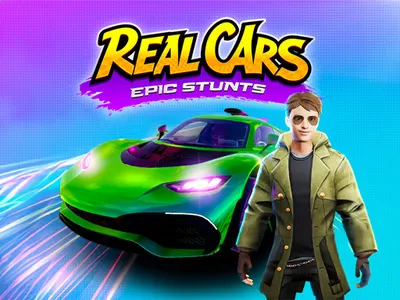
The first time you open a game, your browser has to download its graphics and sound. Larger games, especially 3D ones such as Real Cars Epic Stunts, can take a while on a slow connection. A loading bar that is moving, even slowly, is working.
After the first visit, most of those files are kept by your browser, so the game opens much faster the next time.
3. Pause your ad blocker for the site
This is a very common cause of a game that never gets past its loading screen. Free browser games are paid for by advertising, and many of them wait for an ad to finish, or to report that it could not load, before starting. Some ad blockers stop that signal from ever arriving, and the game waits forever.
Turn the blocker off for this site, reload the page and try again. The same applies to strict tracking protection in privacy-focused browsers, and to browser extensions that block scripts.
4. Reload the page properly
A normal reload sometimes reuses a broken copy of a file. A hard reload fetches everything again.
- Windows and Linux: press Ctrl + F5, or Ctrl + Shift + R.
- Mac: press Cmd + Shift + R.
- Phone: close the tab completely, then open the page again.
5. Try a private window
A private or incognito window runs without most of your extensions and with a clean cache. If the game works there, the problem is in your normal browser profile: an extension, a setting or old stored data.
From that point you can switch extensions off one at a time until you find the one responsible, or clear the stored data for the site.
6. Update your browser, or try a different one
Games are built for current versions of Chrome, Edge, Safari and Firefox. A browser that has not been updated in a long time may lack features a game depends on. Check for updates in the browser's menu and restart it.
If the game still refuses to load, open the same page in another browser. A game that works in one browser and not in another tells you the game is fine and a setting in the first browser is in the way.
7. Turn on hardware acceleration for 3D games
3D games, such as Mini Golf Saga, draw their graphics with your device's graphics chip. If hardware acceleration is switched off in the browser settings, those games can show a black screen, run very slowly or fail to start.
Look for a setting called hardware acceleration or graphics acceleration in your browser's system settings, switch it on and restart the browser. Older computers with out-of-date graphics drivers can hit the same problem.
8. Make sure the game suits your device
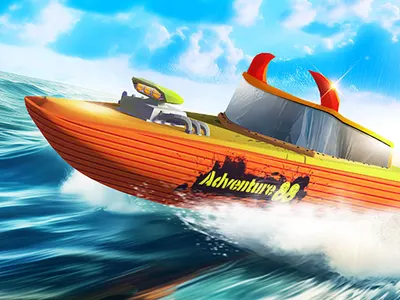
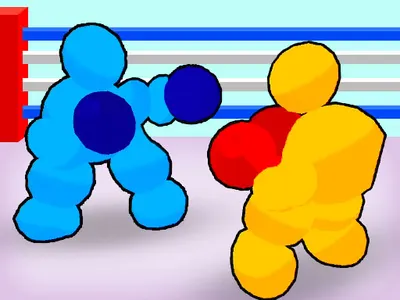
Not every game is designed for every device. Some are built around a keyboard and are awkward or impossible to play on a phone. Hydro Racing 3D and Boxing Gang Stars, for example, are designed for desktop play.
Each game page on IviGames has a Game details section that says what the game plays on. If a game does nothing on your phone, check there first. For games that do support phones, try rotating the screen: some are laid out for portrait and others for landscape.
9. Check your network
School, office and public networks often filter gaming sites or the servers that game files are loaded from. If the page itself opens but every game fails, and the same games work on your home connection or mobile data, a network filter is the likely reason. There is nothing to fix on your device in that case.
Still stuck? Tell us
If a game fails after all of the above, it may be a problem with the game itself. Let us know through the contact page. It helps a great deal if you include the name of the game, your device and browser, and what you see on screen.
In the meantime, there are plenty of others to try in the full game list.
Frequently asked questions
Why is there no sound in the game?
Browsers block sound until you interact with the page. Click or tap inside the game once. If it is still silent, check that the browser tab is not muted and look for a sound button in the game's own menu.
Why did my progress disappear?
Browser games usually save progress in your browser's storage on that device. Clearing your browsing data, using a private window or switching to another browser or device starts you from the beginning.
How do I play in fullscreen?
On a computer, use the Fullscreen button under the game and press Esc to leave. On a phone, the game fills the screen as soon as you press play, and the button in the top corner closes it.