Two-Player Browser Games on One Keyboard: Setup and Ghosting Fixes
In this guide
Sharing one keyboard is the fastest way to play a local two-player match on a laptop or desktop, but it also exposes a hardware quirk most solo players never notice: keyboard ghosting.
If one player holds a movement key and an action key while the other player tries to jump or boost, a low-rollover keyboard can silently drop the extra keypress. A two-minute check before starting avoids mid-match frustration.
Why two players hit key-rollover limits
Most standard laptop and office keyboards wire keys into a shared grid of rows and columns rather than giving every switch its own line. When three or more keys on overlapping grid lines are pressed together, the controller cannot distinguish the extra signal and ignores it.
Solo play rarely triggers this because you usually hold one or two keys at once. Two players holding six keys simultaneously—such as movement, jump, and shoot on both sides of the board—quickly expose 2-key or 3-key rollover limits.
Test your keyboard before starting a match
Open our 2-Player Keyboard & Ghosting Tester and have both players hold their most common three-key combination at the same time.
For example, in Basketball Stars, Player 1 uses W, A, D, S, V, and B while Player 2 uses the arrow keys, K, and L. Holding W + D + B alongside ArrowUp + ArrowLeft + L lets you verify right away whether all six keys register together.
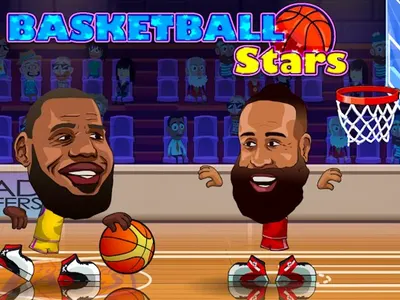 Basketball Stars Play comical one-on-one or two-on-two basketball against the computer or a friend sharing your keyboard. Play Basketball Stars
Five practical fixes when keys drop
If your rollover test shows dropped keys, try these simple adjustments before changing hardware.
- Click inside the game frame once before starting so browser shortcuts or page scrolling do not steal focus.
- Use alternate action keys when a game offers several—for example, switching between F, G, or T and K, L, or O in Boxing Gang Stars often avoids a blocked matrix row.
- Plug in a second USB keyboard if playing on a laptop; two separate keyboards use independent controllers and eliminate cross-player ghosting.
- Use brief taps instead of holding jump or boost continuously when racing on a two-key rollover laptop.
- If a keyboard simply cannot handle intense simultaneous holds, try calmer shared-screen picks such as Fish Eat Grow Mega or Super Heads Carnival.
Where to play next
Browse our Six Two-Player Games on One Keyboard guide for exact key lists, or explore all two-player games on IviGames.
Frequently asked questions
Is keyboard ghosting a bug in the browser game?
No. Key rollover limits come from the physical wiring inside the keyboard hardware, not the browser or the game.
Does plugging in a second USB keyboard work in browser games?
Yes. Both keyboards send standard key events to the browser independently, so Player 1 can play on a USB keyboard while Player 2 uses the laptop keys without matrix conflicts.
Can I play local two-player keyboard games on a phone?
Games built around separate WASD and Arrow key sets are meant for a desktop or laptop with a physical keyboard.